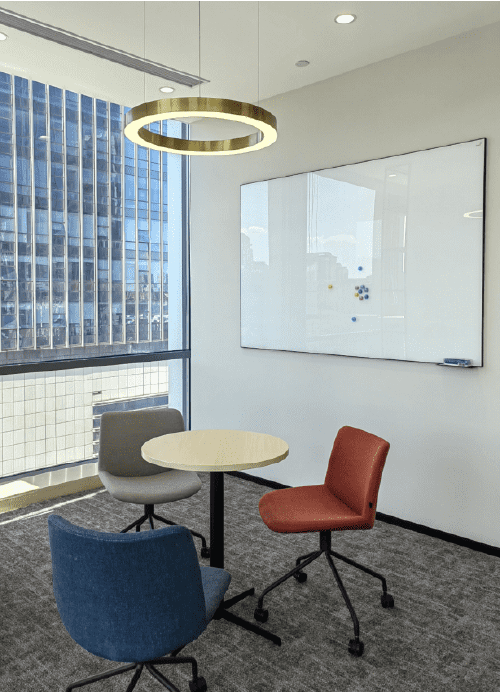
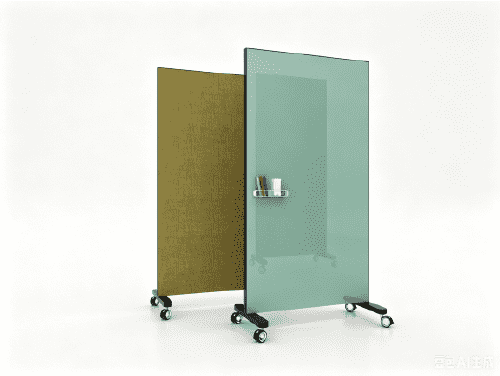

- 08 Sep 2026
How to Use a Writeboard for Better Team Collaboration
Team collaboration often looks simple from the outside.
A group meets, discusses a problem, shares ideas, makes a decision, and moves forward.
In reality, collaboration can quickly become messy.
Information is spread across emails and chat messages. Different people have different versions of the project plan. Meetings become longer without producing clear decisions. Team members know what they discussed but are not always sure what happens next.
A writeboard can help solve part of this problem by giving the team something surprisingly powerful: one visible place to think, discuss, organize, and act together.
Whether it is a traditional writeboard, a glass writeboard, or a mobile whiteboard, the principle is the same:
Make important information visible where people are working together.
Why Team Collaboration Is Harder Than It Looks
The biggest challenge in teamwork is not always communication.
It is shared understanding.
A team can communicate constantly and still fail to agree on what matters, who owns the work, or what should happen next.
Atlassian’s State of Teams research surveyed 5,000 knowledge workers and 100 Fortune 500 executives. It found that 55% of knowledge workers have difficulty tracking down information even when they know someone at their company has it. The research also found that 56% say teams in their organization plan and track work in different ways, making collaboration harder.
This creates three common problems.
Information Is Scattered
A project may have information in:
· Chat
· Spreadsheets
· Project management software
· Presentations
· Meeting notes
· Individual documents
The information exists, but it is not always visible to everyone at the moment they need it.
A writeboard creates a physical layer of shared information.
The team can see the goal, current priorities, open questions, and next actions in one place.
Meetings Consume Too Much Time
More meetings do not automatically produce better collaboration.
Atlassian found that 50% of knowledge workers in organizations with poor meeting cultures spend more time in unnecessary meetings than making progress on high-priority work. Another Atlassian survey found that 77% of respondents frequently attend meetings that end with a decision to schedule another meeting, while 54% frequently leave meetings without a clear understanding of next steps or task ownership.
This is where visual collaboration becomes valuable.
Instead of spending the meeting simply talking about the project, the team can use a writeboard to work on the project together.
Teams Lose Sight of Priorities
Modern employees are also dealing with constant interruptions.
Microsoft’s 2025 Work Trend Index reports that employees are interrupted by a meeting, email, or notification approximately every two minutes during core working hours. Its telemetry also indicates that 60% of meetings are ad hoc among the highest-volume meeting users measured in the study.
When attention is fragmented, a visible project board can act as a simple anchor.
The team does not need to remember everything.
The important information is already in front of them.
What Is a Writeboard?
A writeboard is a shared writable surface that allows people to capture, organize, and communicate ideas visually.
In an office, it can be used for:
· Brainstorming
· Project planning
· Task tracking
· Problem solving
· Meeting notes
· Process mapping
· Strategy discussions
· Presentations
The concept is simple.
Instead of keeping every idea inside one person’s notebook or computer, the team puts important information into a shared visual space.
A Shared Visual Workspace
The most useful way to think about a writeboard is not as a piece of office furniture.
Think of it as a shared workspace for thinking.
When people write something on the board, everyone can see it.
When someone moves an idea, changes a priority, or adds a task, the team can respond immediately.
This reduces the distance between:
Thinking → Discussing → Deciding → Acting
That is what makes a writeboard useful for collaboration.
Writeboard vs. Traditional Whiteboard
The terms writeboard and whiteboard are often used interchangeably.
For a modern workplace, however, a writeboard can be understood more broadly as a collaborative writing and visual planning surface.
It may be:
· A wall-mounted board
· A freestanding board
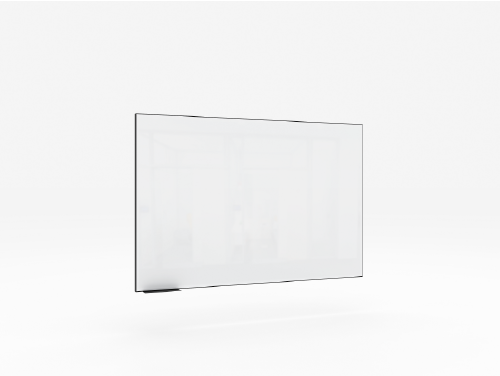
· A glass writeboard
· A magnetic board
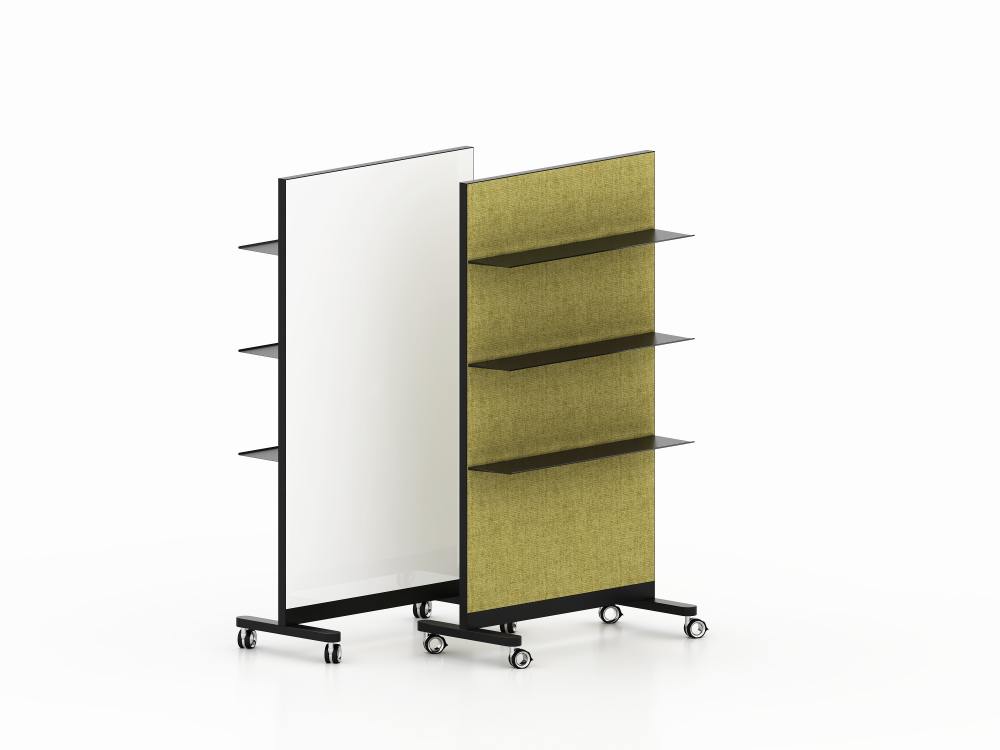
· A double-sided board
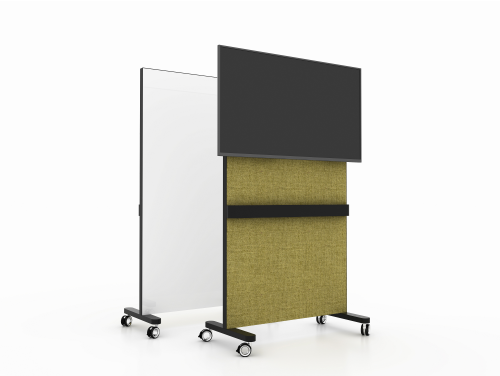
· A mobile whiteboard
· A combination of writing and acoustic surfaces
The important feature is not the material.
It is how the team uses the surface to make work visible.
How a Writeboard Improves Team Collaboration
A good collaboration tool should make work easier to understand, not add another layer of complexity.
A writeboard can do this in five simple ways.
1. Make Ideas Visible
Ideas become easier to discuss when everyone can see them.
During a brainstorming session, team members can write ideas directly onto the board instead of waiting for one person to take notes.
For example:
Customer Problem
↓
Possible Solutions
↓
Product Ideas
↓
Priorities
↓
Next Actions
The team can physically group, remove, combine, and prioritize ideas.
The result is a conversation that produces something visible.
2. Create One Shared View
Teams often struggle when different people work from different versions of information.
A shared writeboard provides a common visual reference.
At the beginning of a project, the board might show:
Project Goal
Deadline
Key Deliverables
Project Owner
Current Risks
Next Milestones
As the project progresses, the board changes.
This creates a simple principle:
If everyone can see the same information, it becomes easier to work from the same understanding.
This does not replace digital project management software.
Instead, it complements it by making the most important information visible in the physical workspace.
3. Turn Discussion Into Action
One of the biggest problems with meetings is that discussion can continue without producing action.
A writeboard helps create a transition from conversation to execution.
For example:
Discussion | Writeboard Action |
We need a new campaign | Campaign idea written |
Which audience? | Audience selected |
Who owns it? | Owner assigned |
When should it launch? | Deadline added |
What happens next? | Next action written |
The board becomes the bridge between what the team says and what the team does.
4. Keep Priorities Visible
A project can quickly accumulate dozens of tasks.
The team does not need to see all of them at once.
A better approach is to make the most important work visible.
For example:
THIS WEEK
1. Finalize product concept
2. Approve prototype
3. Complete customer testing
4. Prepare launch materials
When priorities are physically visible, they become part of the team’s environment rather than another item buried inside a task-management system.
5. Support Faster Decision-Making
Good decisions require shared context.
A writeboard can bring the relevant information into one visual field.
For example:
Problem
→ Options
→ Pros & Cons
→ Decision
→ Owner
→ Deadline
This structure helps teams move from open discussion toward a clear outcome.
Research from Gensler reinforces the importance of workplace choice and effective collaboration environments. Its 2024 Global Workplace Survey covered more than 16,000 office workers across 15 countries and found that 94% of employees in exceptional workplaces have a choice in where they work within the office.
The implication for workspace design is straightforward:
Teams need environments that can support different ways of working.
A flexible writeboard is one small but practical part of that environment.
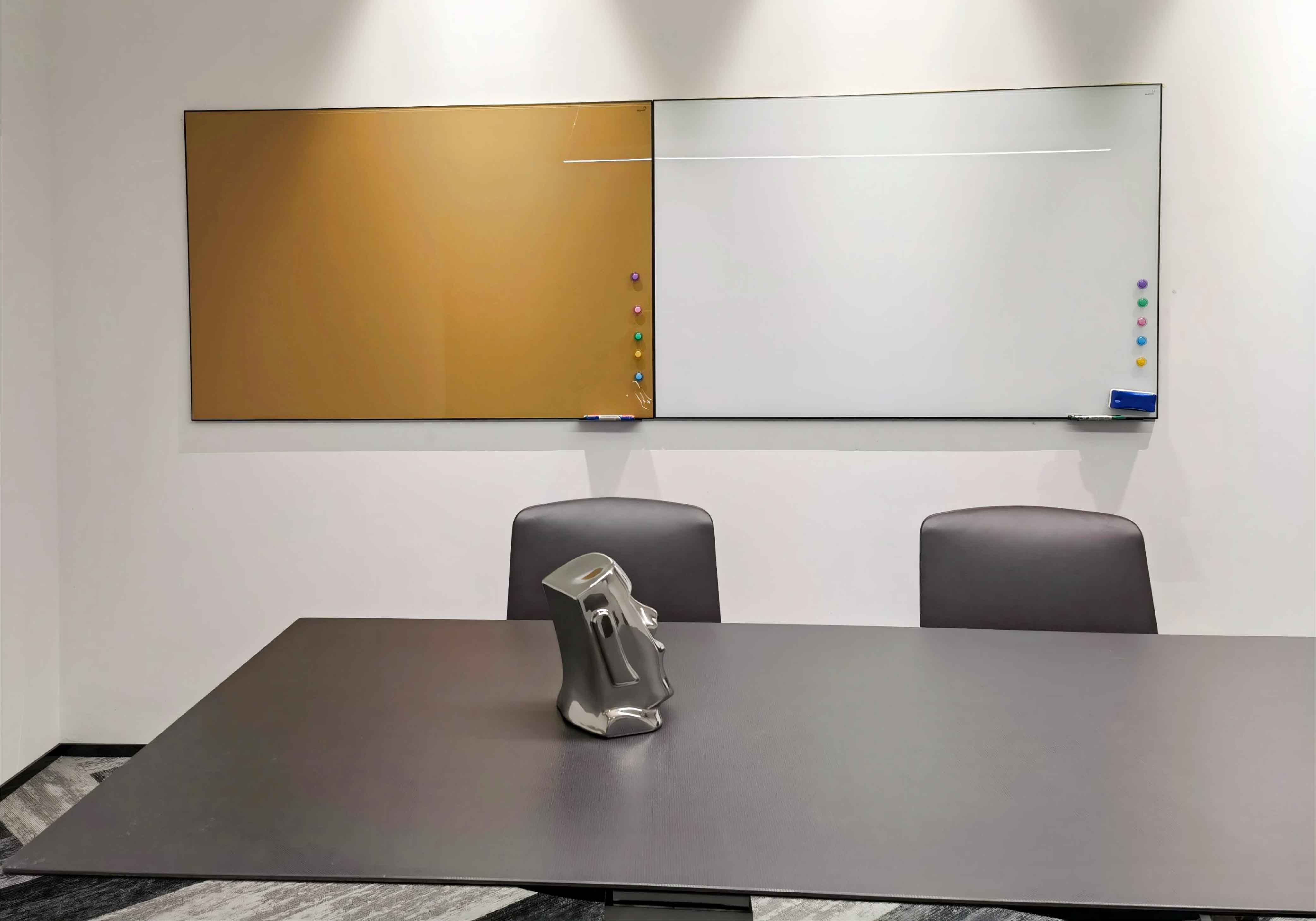
How to Use a Writeboard During a Team Project
The best results come from using the board as part of a repeatable workflow.
Instead of writing random notes on the board, give the board a job.
Step 1: Define the Goal
Start every project session with one question:
What are we trying to achieve?
Write the answer at the top of the board.
For example:
Launch the new product page by September 30.
This gives the team a fixed reference point.
Step 2: Collect Ideas
Next, let the team contribute ideas.
Do not evaluate every idea immediately.
Write first.
Organize second.
Decide third.
This prevents the loudest voice in the room from controlling the entire brainstorming process.
Step 3: Organize the Work
Once ideas are collected, group them.
For example:
Must Do
Should Do
Could Do
Not Now
This turns a collection of ideas into a manageable project.
Step 4: Assign Actions
Every important task should have an owner.
A simple structure is:
Task → Owner → Deadline
For example:
Customer interviews → Sarah → Friday
Prototype update → James → Tuesday
Product images → Emma → Thursday
This makes accountability visible.
Step 5: Review Progress
The board should change as the project changes.
Move completed tasks.
Update priorities.
Add new risks.
Remove outdated information.
The writeboard should represent the current state of the project, not become a museum of old notes.
Why Choose a Glass Writeboard?
A glass writeboard can be particularly effective in professional environments where visual clarity and long-term appearance matter.
Better Visual Experience
Glass provides a clean, contemporary surface that fits naturally into modern office environments.
For executive offices, meeting rooms, design studios, and client-facing spaces, the appearance of the board can be almost as important as its function.
The board becomes part of the workplace design rather than looking like an afterthought.
Easy to Clean
A high-quality glass writing surface can provide a smooth surface for frequent writing and erasing.
This is particularly useful when the board is used every day.
The team can erase yesterday’s notes and begin a new planning session without changing the underlying workspace.
Professional Office Design
Glass works especially well with:
· Minimalist offices
· Executive meeting rooms
· Modern conference rooms
· Creative studios
· Product development spaces
It can also be combined with black metal frames, wood, acoustic felt, or other workplace materials.
Better for Long-Term Use
A writeboard used as a central team tool needs to survive repeated cycles of writing, erasing, and cleaning.
For high-frequency collaboration environments, surface durability should therefore be considered alongside size, mounting, mobility, and accessories.
Why Use a Mobile Whiteboard?
A fixed writeboard works well when the team always collaborates in the same place.
But modern teams do not always work that way.
This is where a mobile whiteboard becomes valuable.
Bring the Board to the Team
A mobile whiteboard can move to the people instead of requiring people to move to the board.
A project team can work next to a product prototype.
A marketing team can brainstorm near their workstations.
A training group can move the board between learning areas.
The board follows the work.
Create Flexible Collaboration Areas
An open office does not need to have a permanent meeting area for every possible activity.
A mobile whiteboard can help create a temporary collaboration zone.
Move the board next to a table.
Bring the team together.
Work on the project.
Move the board away when the space is needed for something else.
This is especially relevant as workplaces become more flexible.
Gensler’s research shows that exceptional workplaces give employees greater choice in where they work, supporting different work modes and experiences.
Move Information Between Workspaces
The most overlooked benefit of a mobile whiteboard is continuity.
Imagine a team begins planning in a meeting room.
The board contains:
· Project objectives
· Key ideas
· Decisions
· Open questions
· Next steps
The team then moves to another area.
With a fixed board, the information stays behind.
With a mobile whiteboard, the visual context moves with the team.
Writeboard Applications for Different Teams
Different departments can use the same concept in different ways.
Project Management
Project managers can use a writeboard to display:
Goals
Milestones
Risks
Dependencies
Owners
Next Actions
For a project manager, the board can become a quick visual dashboard.
Instead of asking five people for five updates, the team can start from the same visible picture.
Marketing
Marketing teams can use a writeboard for campaign planning.
For example:
Audience → Message → Channel → Content → Deadline
The board can also support creative brainstorming before ideas move into digital planning tools.
Product Development
Product teams can use writeboards to map:
Customer Problem → User Need → Product Idea → Prototype → Test
A mobile whiteboard can be particularly useful when the team moves between meeting areas and prototype spaces.
Design Teams
Design teams can use a glass writeboard to sketch:
· User journeys
· Product flows
· Wireframes
· Design concepts
· Spatial layouts
The large visual surface allows several people to contribute at the same time.
Sales Teams
Sales teams can use a writeboard for:
· Pipeline planning
· Account strategy
· Customer objections
· Sales targets
· Opportunity mapping
The board helps transform individual information into a team discussion.
How to Build a Better Collaboration System With a Writeboard
Buying a writeboard is easy.
Using it well requires a little discipline.
Keep the Board Simple
Do not cover the entire surface with information.
A crowded board becomes another source of noise.
Use clear sections.
For example:
GOAL
NOW
NEXT
BLOCKED
DONE
This gives the team an immediate visual hierarchy.
Make Ownership Visible
Every important action should have an owner.
Avoid writing:
Finish presentation.
Write:
Presentation → Alex → Friday
The second version creates accountability.
Separate Ideas From Actions
Not every idea needs to become a task.
Use separate areas for:
Ideas
Decisions
Actions
This prevents brainstorming from becoming an uncontrolled task list.
Update the Board Regularly
An outdated board can be worse than no board.
Set a simple rule:
Review → Update → Remove → Reprioritize
At the end of a project meeting, spend two minutes cleaning the board.
That small habit keeps the board useful.
A Simple Writeboard Framework for Team Meetings
For teams that want a repeatable system, use this five-section layout:
Section | Purpose |
GOAL | What are we trying to achieve? |
IDEAS | What could we do? |
DECISIONS | What have we agreed? |
ACTIONS | What needs to happen next? |
BLOCKERS | What is preventing progress? |
This structure is intentionally simple.
A good collaboration board should not require a training manual.
The team should understand it within seconds.
Why Visual Collaboration Matters
The value of a writeboard goes beyond writing.
It changes how information moves through the team.
Without a shared visual space:
Person → Message → Meeting → Explanation → Follow-up
With a shared visual space:
Idea → Visible → Discuss → Decide → Act
That second process is shorter.
It reduces the amount of information that must be held in individual memory.
It also gives the team a shared reference point.
This is particularly important when collaboration is already fragmented by meetings, notifications, and multiple digital tools.
Microsoft’s research found that employees are interrupted every two minutes during core work hours, while nearly half of employees surveyed said their work feels chaotic and fragmented.
A writeboard cannot remove digital interruptions.
But it can make one part of teamwork more focused:
the moment when people are together and need to think together.
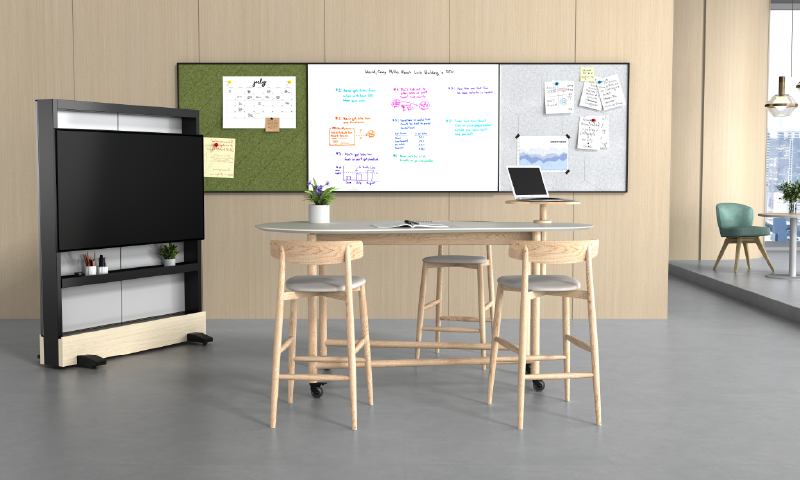
Frequently Asked Questions
What is a writeboard?
A writeboard is a shared writable surface used to capture ideas, organize information, plan projects, and support team collaboration. It can be wall-mounted, freestanding, glass, magnetic, or mobile.
How does a writeboard help team collaboration?
A writeboard gives teams a shared visual workspace where they can see ideas, priorities, decisions, tasks, and blockers. This can make discussions more concrete and help teams move from conversation to action.
What is a glass writeboard?
A glass writeboard is a writing board made with a smooth glass surface. It is commonly used in modern offices, meeting rooms, executive spaces, and creative environments because it combines collaborative functionality with a clean professional appearance.
What is a mobile whiteboard?
A mobile whiteboard is a freestanding whiteboard mounted on wheels or casters. It can be moved between meeting rooms, workstations, collaboration areas, and other spaces.
Is a mobile whiteboard better than a wall-mounted whiteboard?
It depends on the workplace. A wall-mounted board is suitable for a permanent collaboration area, while a mobile whiteboard is better suited to teams that frequently change locations or need flexible collaboration spaces.
Can a glass writeboard be used for project management?
Yes. A glass writeboard can be used to visualize project goals, milestones, priorities, risks, decisions, and action items. It works particularly well when several people need to view and edit the same information simultaneously.
Conclusion: Turn the Writeboard Into a Team’s Shared Workspace
The best writeboard is not the one with the most features.
It is the one the team actually uses.
A good collaboration board gives people a common place to think.
It makes ideas visible.
It keeps priorities in view.
It turns decisions into actions.
And when the board is mobile, it allows that shared workspace to move with the team.
A glass writeboard adds a polished, durable visual surface for professional collaboration.
A mobile whiteboard adds another layer of flexibility by allowing teams to take the board wherever work happens.
Together, these tools support a simple but powerful idea:
When important work becomes visible, teams can understand it faster, discuss it more clearly, and act on it with greater confidence.
For project managers, that is ultimately what collaboration is about—not having more meetings, but helping people move from discussion to decision, and from decision to delivery.